


Cloverleaf’s Workday integration is designed to move through enterprise IT and security review without delays. Deployment is lightweight, data access is tightly scoped, and the architecture is built on infrastructure that enterprise security teams already know.

Workday AI coaching integration
Turn employee transactions into leadership readiness
Cloverleaf connects to Workday to deliver AI coaching when it matters most—during promotions, manager transitions, and performance milestones. Not after someone remembers to log in.
The only AI Coach that unifies assessments and talent data in Workday
Seamless coaching management powered by Workday
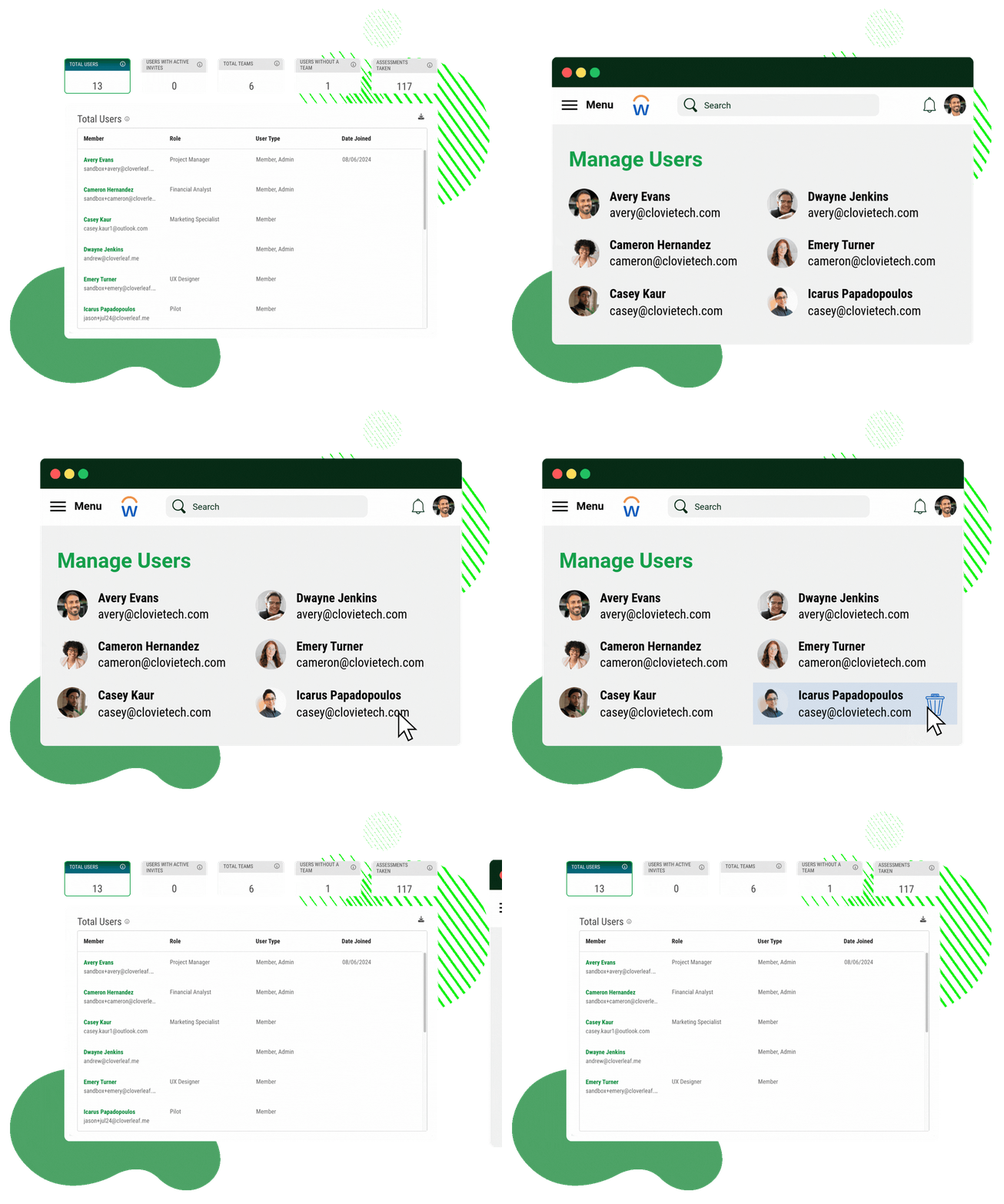
When employees join, leave, get promoted, or move to new teams, Cloverleaf reflects those changes automatically. Reporting structures, team compositions, and manager relationships stay accurate without requiring HR or Talent Development teams to manage them in a separate platform.
Turn talent data into daily coaching directly in Workday
Performance reviews, succession planning, and engagement surveys surface critical development insights, but their impact depends on employee follow-through. Cloverleaf closes the gap by turning these insights into personalized coaching directly in Workday, driving real behavior change in the flow of daily work.
Manage assessments and coaching in Workday
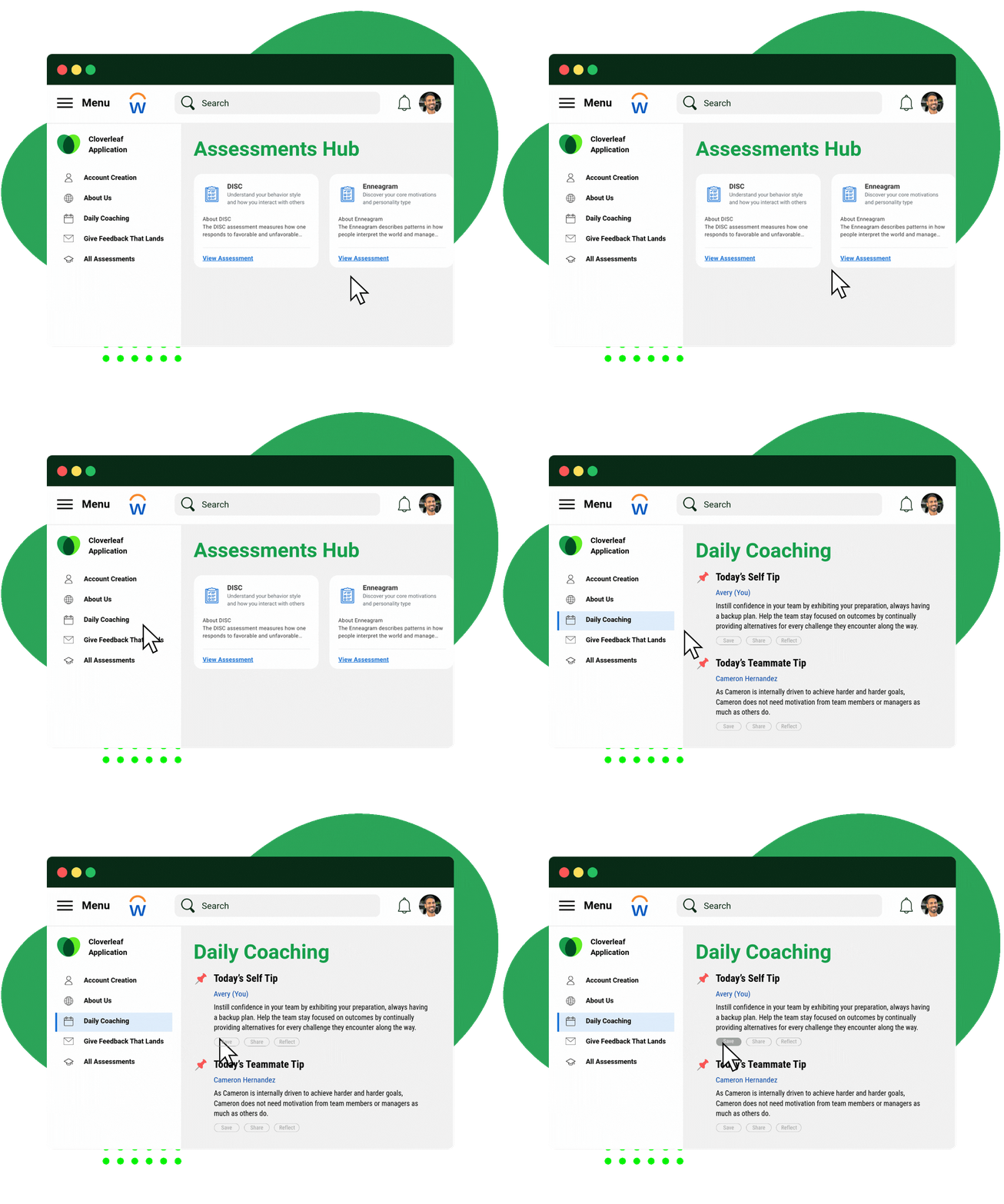
Cloverleaf enables HR leaders to assign behavioral assessments, manage results, and deliver personalized coaching to employees directly within Workday. By bringing assessments and talent data together in one platform, HR teams can streamline administration while ensuring employees receive AI-powered coaching based on their results, delivered seamlessly in the flow of work.
How Cloverleaf's Workday integration works
Support the entire arc of employee growth, for every person. From everyday communication to major growth milestones.
Define your coaching strategy
Select which Workday data and values will power personalized coaching in Cloverleaf, ensuring every experience aligns to what matters most to your people.
Deliver coaching in the flow of work
Cloverleaf’s AI Coach activates personalized coaching in Workday, reflecting assessment insights, real-time talent data, and your leadership expectations.
Elevate the employee experience
Empower every employee to own their growth with contextual coaching tied to their goals, role, and company priorities delivered when it matters most.
Inside Workday: how AI coaching is transforming the future of work
In this Workday podcast episode, our CEO explores how AI coaching within Workday is reshaping talent development by delivering personalized growth at scale.
Enterprise-ready Workday integration for AI coaching
How the integration is built
Cloverleaf connects to Workday through Merge, a unified API provider used by enterprise HR and IT teams. Merge handles authentication, data normalization, and daily sync—detecting field-level changes in Workday so coaching can respond automatically.
Implementation timeline
Setup typically takes one configuration session, followed by a few days of data validation. Your Workday administrator does not need to build custom integrations. Implementation focuses on configuration, not custom development.
What data is accessed
Cloverleaf accesses only the organizational data required for accurate coaching: employee names, roles, job titles, employment status, manager relationships, reporting hierarchy, and work location.
Never accessed: Compensation, payroll, benefits, or personal data (date of birth, ethnicity, gender, home address).
Security, privacy, and compliance standards
Cloverleaf is SOC 2 Type II and ISO 27001 certified, and GDPR aligned. Because Merge sits in the data path, enterprises should review both; security documentation is available upon request.
✅ SOC 2 Type II Compliant
✅ ISO/IEC 27001 Certified
✅ GDPR-Aligned
Frequently asked questions
How long does it take to deploy Cloverleaf’s Workday integration?
Active setup typically takes about one hour, followed by a few days of data validation and QA before full rollout. Total time from kickoff to go-live depends primarily on your internal security review process, not the technical configuration.
What does the Workday and Cloverleaf integration process look like?
Implementation runs through Merge’s guided setup flow, designed to minimize lift for HR, IT, and Workday administrators. The sequence typically follows five steps: align on goals and which integrations to enable; connect Workday through Merge’s authentication flow; confirm which organizational data fields are shared and who receives coaching; complete security review and validation; launch and refine delivery based on adoption and feedback. Because the connection runs through Merge’s standardized flow, implementation focuses on configuration rather than custom development.
How does Cloverleaf integrate with Workday?
Cloverleaf connects to Workday through Merge, a unified API provider that standardizes HRIS integrations across platforms. Merge handles authentication and daily data sync between Workday and Cloverleaf, normalizing organizational data so coaching stays aligned with your HR system without requiring custom development. Cloverleaf reads organizational data from Workday through Merge. It does not write back to Workday or modify any records.
How does Cloverleaf keep AI coaching HR-safe and employee-friendly?
Cloverleaf is built with privacy, equity, and accessibility as core requirements. Employees choose how they receive coaching and what data is shared, and your organization owns all employee data — Cloverleaf does not sell it. Coaching content is reviewed using validated assessments and bias detection processes before approval, and the platform aligns with W3C accessibility standards with a VPAT available upon request. This consent-driven model ensures coaching remains ethical, transparent, and aligned with internal policies.
What security and compliance standards does Cloverleaf meet?
Cloverleaf is SOC 2 Type II certified across all five Trust Service Criteria, ISO 27001:2022 certified, and GDPR aligned, with encryption across all storage and API connections. Because data flows through Merge as the integration intermediary, enterprise security teams should evaluate both — Merge holds SOC 2 Type II, ISO 27001, HIPAA, and GDPR certifications.
Security documentation and resources:
- Cloverleaf Trust & Security Center — Full security certifications, compliance documentation, and vendor assessment resources
- Privacy Policy — Data collection, usage, and retention policies
- Cloverleaf’s Stance on AI — How AI is used, data governance, and ethical AI principles
- Integrations & Security — Technical integration details and security architecture
Security documentation for both Cloverleaf and Merge is available as part of standard procurement and review processes.
Does Cloverleaf use employee data to train AI models?
No. Cloverleaf does not use customer data to train external AI models.
AI at Cloverleaf is designed to support people, not replace judgment. The platform does not make automated decisions about employees, and AI interactions are logged, monitored, and auditable. Organizations can also limit or disable AI features they are not ready to use.
Who controls what data is shared and who receives coaching?
Your organization controls which integrations are enabled, what data is shared, which employees or teams receive coaching, and how frequently coaching is delivered. Administrative settings ensure coaching aligns with your governance requirements, privacy expectations, and rollout strategy.
Who should be involved to get started?
Most organizations involve a small cross-functional group: HR or Talent Development leaders to define goals and scope, a Workday or HRIS administrator to connect Workday through Merge’s setup flow, and an IT or Security partner to complete authentication and vendor review. Cloverleaf supports this process with documentation and guidance to make internal alignment easier.
Does Cloverleaf coaching respond to what’s happening in Workday, or just sync employee data?
Many tools integrate with Workday primarily to keep employee records and org charts current. Coaching may be available, but it isn’t connected to what’s actually changing in someone’s role, team, or responsibilities. Cloverleaf’s integration detects field-level changes during daily sync — promotions, manager reassignments, review completions — and delivers coaching based on those changes, typically within 24 hours. Development support stays relevant as roles and responsibilities evolve, without anyone having to seek it out. When evaluating any Workday integration, it’s worth confirming whether coaching activates in response to organizational changes or simply remains available for employees to find on their own. If leaders have to remember coaching exists, adoption will reflect that.